Table of contents
"Is it too late to call?" is a question every long-distance couple asks a few times a week. You do the time-zone maths, you guess whether they're still at work, you wonder whether the silence means they're busy or their phone died on the train.
Share your day answers a few of those questions quietly, so you don't have to ask them out loud.
What gets shared
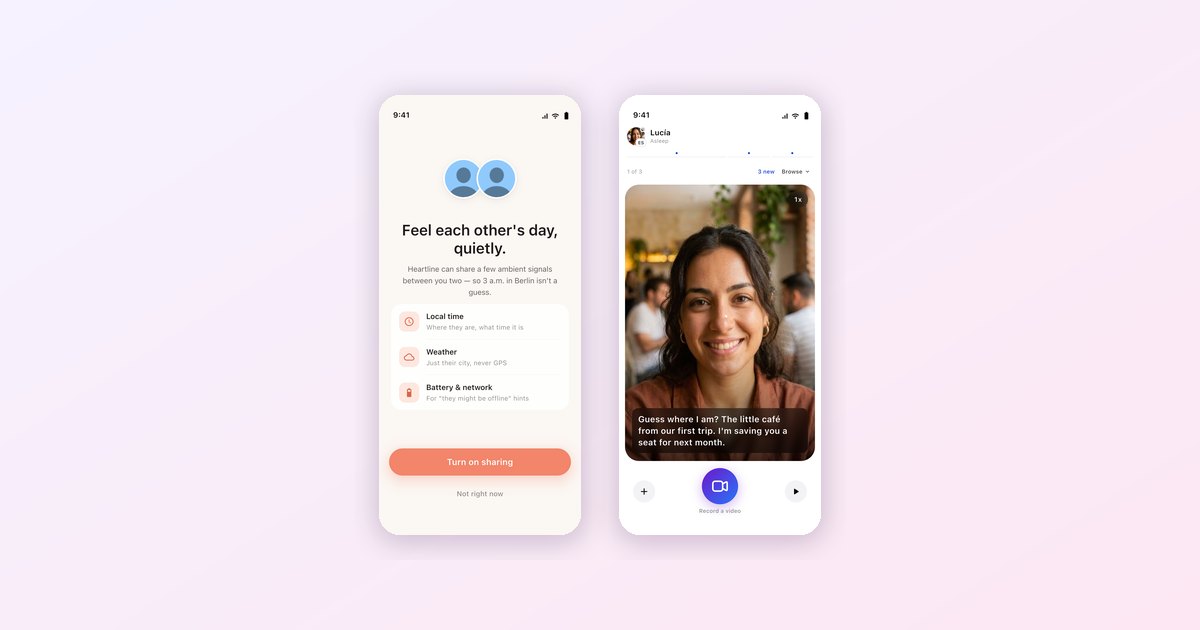
When you turn it on, Heartline shares a handful of ambient signals with your partner:


Local time. Where they are and what time it is there, so 3 a.m. in Berlin isn't a guess.
Weather. Just their city's weather. If it's pouring where they are, you'll know before they mention it.
Battery and network. Not for monitoring. It's for the "they might be offline" moments, when a message hasn't been read and you'd otherwise start inventing reasons.
Each of these can be on or off separately. If you're fine sharing your time zone but not your battery, share the one and keep the other. Your partner just sees "battery not shared."
What it never does
We wrote this part into the app itself, and it's worth repeating here. Nothing precise is shared: no exact address, no GPS, no contacts. To show weather, Heartline uses your coarse location once per session to look up your city, then throws it away.
The app can briefly wake in the background to refresh a signal, but only at the moment your partner looks at your status, never on a schedule, and never to read your location. If you turn location off in system settings, weather simply stops being shared and everything else keeps working.
You can also decline entirely. The prompt has a "Not right now" button and nothing breaks if you press it.
Checking in
When your partner looks at your status, you'll see a small note in the chat: "Your partner checked in on your day." It's a tiny thing, but it turns a background feature into a gesture. Someone was thinking about you, and now you know.
Why this matters more across languages
When you share a first language, a lot of this information travels in passing: "ugh, it's freezing," "my phone's on 3%." Across a language gap, people say less of it, because small talk is the first thing that gets dropped when every sentence takes effort. Share your day hands that small talk back without anyone having to type it.
It works best with the rest of Heartline: Pulse for video back-and-forth on your own time, Morning Moment for the start of the day, and the Together tab for the things you do as a couple. More on making the time difference work in our long-distance guide.
Heartline provides real-time translation for text, voice, and video calls — built specifically for cross-language couples. Available free on iOS and Android.
Frequently asked questions
Does Share your day track my location?
No. Heartline never shares your exact address or GPS. Coarse location is used once per session to look up your city and weather, then discarded.
Can I share some signals but not others?
Yes. Local time, weather, battery and network can each be turned on or off. Your partner sees which ones you are not sharing.
Is Share your day required?
No. It is opt-in, and you can choose Not right now when you are asked.

Try Heartline for free
Love speaks every language. Text, voice and video — translated in real time.